
Around home
Set an exit alert around your usual home area. If your dog wanders beyond it during yard time, check when and where the tracker last reported.
Check your pet’s latest location, set alerts around familiar places, and review where they’ve been in the Cube Tracker app.

Cube GPS uses satellites to determine the tracker’s location and cellular service to send it to your phone. Clip the tracker to a compatible collar or strap to see reports and receive zone alerts in the app.
Set an exit alert around your usual home area. If your dog wanders beyond it during yard time, check when and where the tracker last reported.
Review the route after a neighborhood walk or an outing somewhere new. A quick coverage and battery check is especially useful before heading out of town.
Give someone who helps care for your pet their own Cube access. Agree on who checks an alert and who handles charging during a handoff.
Start with the bundle for a new tracker and the clips. If you already use Cube GPS, shop for attachment clips separately.

Get a rechargeable Cube GPS and three clip sizes for a compatible collar or strap you already own.
A separate cellular plan is required.
A useful setup starts with a comfortable fit and a few tested alerts. Learn to read the map, choose a zone that matches your routine, and share access with the people who look after your dog or cat.
The pin shows where the tracker last reported. If your dog went around a bend on a wooded trail and the pin still shows the trailhead from ten minutes ago, use that point as the start of your search. Look for a newer timestamp before treating the pin as your dog’s current position. A tracker that stays still generally reports less often. A moving tracker can also be slow to report where GPS reception or cellular coverage is weak.
To get more frequent reports while your pet is moving, open their tracker in the Cube app and tap Live. The regular reporting interval affects how quickly Live starts. Supported cellular coverage and active service are required to send the updates, so you can check from home while a family member is out with the dog. How Cube Live tracking works
Before a trip, try a short outing close to home. For an indoor cat, carry the tracker from their usual resting spot to an open area outside and see how the reports change. Your cat can stay inside for this signal test. If the timestamp stays old after the tracker moves in an open area, check the charge and confirm the tracker has an active data plan.
In your tracker’s settings, open Virtual Fence, name the zone Home, and draw the circle around the area you want to monitor. Choose exit alerts for an unexpected departure and entry alerts if a return is useful. Cube’s setup guide lists a 200-meter minimum radius, so the alert is for crossing the mapped area. Keep using a physical fence, leash, or other supervision at the gate. Cube’s Virtual Fence instructions
Walk your dog on leash along a route that crosses the circle. Note when you cross and when the alert arrives. For a cat, you can carry the tracker across the test boundary yourself. If the usual sidewalk cuts in and out of the zone, adjust the circle so ordinary movement around home stays inside it. Leave on the alert directions your household is likely to act on.
If a test alert is missing, check for a fresh location on the other side of the boundary. When the map shows the crossing, review the zone settings and confirm the phone allows app notifications. When the pin is stale, start by checking reception and power. See the setup checklist
Measure the flat section of your dog’s collar or harness strap where the tracker will sit, then match that width to a clip. Leave the buckle and leash attachment clear. Watch your dog walk, turn, and lower their head for water. If the mount slides toward the buckle, twists the strap, or knocks against the bowl, adjust the position and test again. See collar clip sizes
For a cat or small dog, consider the size and weight of the tracker and clip together. On a cat’s quick-release collar, keep the release mechanism clear and check that it still opens as designed. If the mount shifts or changes how your pet moves during a short supervised trial, take it off and reassess the fit. See tracker dimensions in the bundle · Cats Protection’s collar guidance
Start with a full charge. Cube’s pet setup guide suggests three- to five-minute routine reporting as a starting point. Check battery use after a few ordinary outings and set a reminder that fits your own routine. If you use Cube’s Wi-Fi Safe Place to help conserve the battery at home, test what happens once you leave that Wi-Fi area. Cube’s pet settings guide
Invite a trusted sitter or family member through Device Sharing using their own Cube account. Before you leave, have them open the tracker and check the latest map report with you. Agree on who checks the app and who calls for help if the pet slips out. When the sitting arrangement ends, review who still needs access. Cube’s sharing instructions
Open Location History to review reported positions in time order. For example, the tracker might report from home at 8:10, from the park at 8:25, and from home again at 8:52. Check the timestamps alongside what the walker remembers. A stretch with sparse reports can leave parts of the route uncertain. Find Location History

This Cube Tracker app example shows a recorded route. Check the report times alongside what your sitter or walker observed.
If your pet is missing, check with the people who last saw them and start looking promptly. Use the latest tracker point and its timestamp to help direct the search. For a cat, ask neighbors to check nearby sheds and garages. Contact local shelters and animal control, and keep a recent photo and current microchip registration details handy. ASPCA lost-pet guidance
Fully charge Cube GPS, add it in the Cube Tracker app, and activate a cellular data plan.
Measure the flat part of the strap where the tracker will sit. Choose a matching collar attachment clip and check that the tracker stays in place.
Watch your pet move with the tracker on during a short supervised try-on. Check comfort, clearance around the buckle, and whether the attachment shifts or snags.
Set a Home zone, take the tracker across its boundary during a controlled test, and check the map timestamp and notification.
Choose a properly fitted quick-release collar. Check that the clip leaves the release unobstructed and that the combined size and weight are comfortable for your cat.
Cats Protection’s guide to collar fit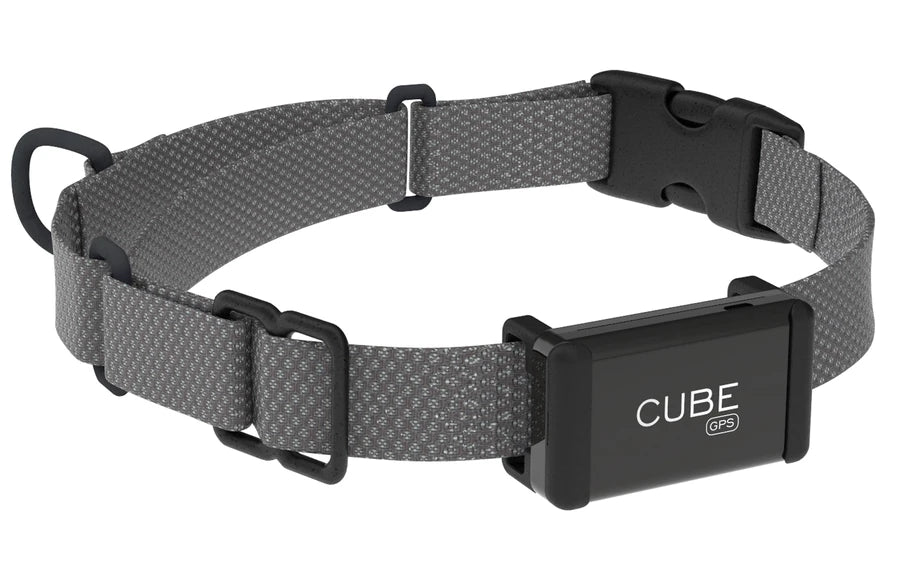
Choose a data plan in the Cube Tracker app after pairing. Each tracker needs active cellular service for remote location reports, zone alerts, and trip history. Hardware is a separate purchase.
$16.50/mo
$198 billed yearly per tracker
$19.95/mo
Billed monthly per tracker
Need help with your Cube GPS? Visit Cube’s pet tracking help.
Yes. Cube GPS sends reports over its own cellular connection with an active plan and supported coverage. You can view those reports wherever your phone has internet access.
Fit depends on your individual pet and the collar or strap. Check the tracker’s dimensions and weight, verify clip fit, and supervise a short try-on. For cats, choose a suitable quick-release collar and keep its release clear.
The bundle includes the standard Cube GPS tracker and three sizes of collar attachment clips. Pair them with a compatible collar or strap you already own, then activate a data plan in the app.
Yes. Cube’s Collar Attachment Clips are available separately for the standard Cube GPS. The set includes clips for ½-inch, 1-inch, and 1¼-inch straps.
An exit alert depends on the selected zone boundary and the next report outside it. Use a test walk to see how the zone behaves at your address and check the report time when an alert comes in.
Battery life varies with movement, signal, and how often you request updates. Check the battery after a few normal outings and use that experience to set a charging routine for your pet.
Yes. Use Device Sharing in the app to invite the people who help care for your pet through their own Cube accounts.
Each Cube GPS needs its own active cellular plan. You can manage multiple paired trackers in the same Cube Tracker account.
Start with the tracker and attachment that fit your pet’s collar and routine.